


Knowledge workers spend hundreds of hours every year conducting manual market research, summarizing industry regulations, comparing competing software vendors, and preparing briefing dossiers for client calls. Traditionally, teams had two choices: spend three to four hours scouring search results manually, or pay thousands of dollars for enterprise intelligence subscriptions. Learning how to build a zero cost ai research assistant for office tasks allows teams of any size to synthesize 50-page whitepapers and market updates in under fifteen minutes.
Today, you can build a lightweight, zero-cost AI research assistant using free-tier LLMs (such as Anthropic Claude 3.5 Sonnet, ChatGPT Free, or Google Gemini) combined with structured prompt workflows in Notion or Google Docs. Our remote editorial team at Aidoroo uses this exact architecture to synthesize research and industry updates without paying a dollar in software subscriptions.
Here is the full blueprint to build a zero cost ai research assistant for office tasks, complete with prompt templates, workflow diagrams, and fact-checking protocols.
The 3-Tier Research Architecture
The mistake most professionals make is asking AI a broad question like: “Tell me about the competitor landscape in B2B accounting software.” You receive a generic, bland overview that lacks depth and actionable insight.
Instead, an effective research assistant operates across three sequential phases:
- Tier 1: Document & Data Ingestion (Source Triage): Extracting raw tables, key arguments, and specific facts from PDF whitepapers or web articles.
- Tier 2: Fact Extraction & Matrix Synthesis: Organizing disparate points into a structured comparison matrix.
- Tier 3: Executive Briefing Generation: Distilling findings into a 1-page memo tailored for team leads.
Tier 1: Document Ingestion & Deep Fact Extraction
When feeding research reports, quarterly filings, or technical articles into your AI assistant, the goal is not to get a summary—it is to extract raw, verifiable data points with source attribution.

Fact Extraction Prompt:
“Act as an Investigative Research Analyst. Read the attached source material carefully.
Extract the following elements:
1. Core quantitative findings (specific percentages, dollar amounts, sample sizes).
2. Any direct quotes from named executives or researchers that summarize key shifts.
3. Three primary counterarguments or limitations cited in the document.Format each item with source page numbers where available. Do not infer conclusions beyond what is explicitly stated in the text.”
If your research involves legal filings or multi-page PDF agreements, combine this workflow with our specialized guide on how to safely summarize PDF contracts and business reports with AI.
Tier 2: The Side-by-Side Comparison Matrix
When evaluating multiple vendors, software solutions, or competitor strategies, prompt the AI to build a Markdown comparison table:
“Compare Vendor A and Vendor B based on the extracted feature notes above across these criteria:
– Pricing Model & Hidden Costs
– API & Integration Capabilities
– Customer Support SLAs
– Team Adoption CurveOutput as a clean markdown table followed by a 2-sentence summary of which vendor suits an agile team under 50 employees.”
Tier 3: The 9 AM Morning Briefing & Task Distribution
To keep distributed teams informed without drowning in email newsletters, run this prompt every morning with your collected industry headlines and turn them directly into actionable task cards:
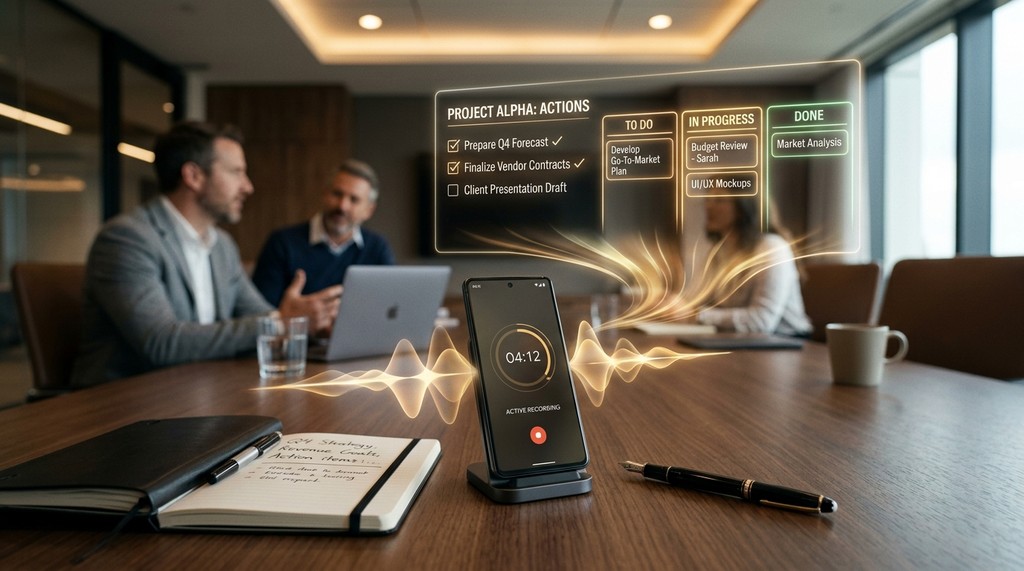
“Here are 5 articles published in our industry over the last 24 hours [Paste excerpts].
Create a 3-minute executive briefing for our team Slack channel:
– What happened (Headline in bold)
– Why it matters to our business (1 sentence impact statement)
– Potential action item for our team (if applicable)
Keep total length under 200 words. Bullet format.”
For more asynchronous team workflows that eliminate meeting bloat, explore our guide on 7 practical AI workflows for remote teams to save time.
Comparison: Traditional Analyst Agency vs. In-House AI Research Pipeline
| Workflow Metric | Traditional Analyst Retainer | Zero-Cost AI Assistant |
|---|---|---|
| Turnaround Time | 3 to 5 business days | Under 15 minutes per dossier |
| Monthly Software Cost | $2,000 to $8,000 / month | $0 (Free-tier Claude, ChatGPT, Gemini) |
| Customizability | Rigid agency templates | 100% customized to internal team needs |
Quality Control: The Verification Protocol
Mandatory Fact-Checking Rule
Never present statistics or quantitative claims in executive meetings without cross-verifying the primary source. If an AI summary states ‘Enterprise churn dropped 28%’, spend 30 seconds locating the exact line in the source document to verify that the context was not misunderstood.
Conclusion
Learning how to build a zero cost ai research assistant for office tasks democratizes high-powered market intelligence for teams of any size. With disciplined source curation, sequential extraction prompts, and rigorous human verification, any knowledge worker can produce deep, actionable research in a fraction of the time.
Building a Centralized Research Repository in Notion
Once you build a zero cost ai research assistant for office tasks, organizing extracted intelligence into an accessible team knowledge base ensures research insights are never lost. Create a centralized Notion database structured around these five properties:
- Topic / Industry Vertical: Tag research briefs by market segment (e.g., B2B SaaS, FinTech, Legal Tech).
- Source Type: Classify inputs into Whitepapers, Competitor Filings, Regulatory Updates, or Academic Preprints.
- Key Quantitative Finding: One sentence summarizing the core statistical takeaway.
- Executive Action Item: How your team can leverage the research in current strategic sprints.
- Original Document Link: Direct link to primary source PDFs for easy audit verification.
Frequently Asked Questions: AI Research Assistants
How do I prevent AI research assistants from hallucinating academic citations?
Enforce strict source grounding in your prompts: “Extract information strictly from the attached text. If an answer is not explicitly stated in the document, reply with ‘Not Mentioned in Source’ rather than inferring.”
Which free-tier AI model performs best for long PDF research synthesis?
Anthropic Claude 3.5 Sonnet offers exceptional document comprehension across large context windows, while OpenAI GPT-4o provides fast comparative analysis and markdown table formatting.
Can this zero-cost research workflow scale to entire organizations?
Yes. By establishing shared prompt repositories and standardized extraction templates in Google Docs or Notion, any team can deploy uniform research intelligence without paying enterprise software fees.
Research Intelligence Quality Checklist
Research Quality Verification Checklist:
- Confirm that all statistical claims cite specific primary source page numbers.
- Ensure competitor comparison matrices evaluate identical feature criteria across all vendors.
- Verify that executive briefs are under 250 words for optimal team consumption.
Scaling Local Privacy and Enterprise Data Isolation
As corporate teams adopt workflows to build a zero cost ai research assistant for office tasks, security teams will rightfully question data retention policies and proprietary leaks. Open-source local inference engines like Ollama running on workstations offer a 100% air-gapped, zero-cost alternative for organizations handling highly confidential customer data or classified technical intellectual property.
By connecting local open-weights models to your local document repositories, your office research assistant functions entirely offline with zero API fees and absolute data privacy compliance under strict enterprise security guidelines.